

A hardware wallet, also called a cold wallet, is a small device that keeps the secret keys to your crypto off the internet, so moving coins takes a physical press or tap from you. Here are the picks, with prices from each maker’s own US store on November 18, 2026:
- Lowest price with a screen, code Trezor says is open source: Trezor Safe 3, $59. It plugs in by USB-C and has two buttons.
- A card you tap on your phone, with no recovery phrase to write down: Tangem Wallet 3-card set, $69.90. There is no screen on the card, so your phone is the display.
- Touchscreen and Bluetooth for less: Ledger Nano Gen5, $179.
- Touchscreen, Bluetooth and Trezor’s open-source code: Trezor Safe 7, $249.
- Cheapest Ledger: Ledger Nano S Plus, $69. Cable only, and no iPhone support.
Nothing here was tested hands-on for this guide. Specs and prices are each maker’s own, and the security history further down comes from the makers’ notices plus reporting by BleepingComputer, Decrypt, Cointelegraph, U.Today and the security firm StepSecurity. This page compares devices; it is not advice on whether to own crypto.
Ledger vs Trezor vs Tangem compared
Every cell is the maker’s own claim from its own pages, or notes where a maker’s comparison page is silent, so read across a row, and treat a column as three companies describing themselves in their own words.
| Model | Price | Screen and controls | Connects by | Battery | Secure chip, as the maker states it | Open source, as the maker states it | Coins, as the maker counts them | Backup |
|---|---|---|---|---|---|---|---|---|
| Trezor Safe 3 | $59 | 0.96-inch monochrome screen, two buttons | USB-C | None | Certified EAL6+ Secure Element | “Open-source security” | 1,000s of coins and tokens | 12-, 20- or 24-word backup; optional multi-share backup |
| Trezor Safe 5 | $129 | 1.54-inch color touchscreen | USB-C | None | Certified EAL6+ Secure Element | “Open-source security” | 1,000s of coins and tokens | 12-, 20- or 24-word backup; optional multi-share backup |
| Trezor Safe 7 | $249 | 2.5-inch color touchscreen | USB-C, Bluetooth | LiFePO₄, 330 mAh, Qi2 wireless charging | Two secure elements: TROPIC01 and a certified EAL6+ chip | “Open-source security” | 1,000s of coins and tokens | 12-, 20- or 24-word backup; optional multi-share backup |
| Ledger Nano S Plus | $69 | 1.1-inch monochrome screen, buttons | USB cable | None | CC EAL6+ | Not stated on Ledger’s comparison page | 500+ in Ledger’s app, thousands through third-party wallets | 24-word phrase on Recovery Sheets; Ledger Recover optional |
| Ledger Nano X | $99 | 1.1-inch monochrome screen, buttons | USB cable, Bluetooth | Up to 5 hours of normal use | CC EAL5+ | Not stated on Ledger’s comparison page | 500+ in Ledger’s app, thousands through third-party wallets | 24-word phrase on Recovery Sheets; Ledger Recover optional |
| Ledger Nano Gen5 | $179 | 2.8-inch monochrome E Ink touchscreen | USB-C, Bluetooth, NFC | Up to 10 hours of normal use | CC EAL6+ | Not stated on Ledger’s comparison page | 500+ in Ledger’s app, thousands through third-party wallets | Recovery Sheets plus an included Ledger Recovery Key; Ledger Recover optional |
| Ledger Flex | $249 | 2.8-inch 16-grayscale E Ink touchscreen, Gorilla Glass | USB-C, Bluetooth, NFC | Up to 10 hours of normal use | CC EAL6+ | Not stated on Ledger’s comparison page | 500+ in Ledger’s app, thousands through third-party wallets | Recovery Sheets; Ledger’s shop lists a Recovery Key as included; Ledger Recover optional |
| Tangem Wallet (2 cards) | $59.90 | No screen; the phone app is the display | NFC tap to a phone | None | Certified EAL6+ chip | App: open source. Card firmware: closed, audited | 14,100+ tokens on 90 blockchains | Two cards hold the same key; seed phrase optional |
| Tangem Wallet (3 cards) | $69.90 | No screen; the phone app is the display | NFC tap to a phone | None | Certified EAL6+ chip | App: open source. Card firmware: closed, audited | 14,100+ tokens on 90 blockchains | Three cards hold the same key; seed phrase optional |
EAL (Evaluation Assurance Level) is a certification grade for the chip that stores the key; the “CC” in Ledger’s cells stands for Common Criteria, the standard behind it. NFC (near-field communication) is the short-range radio used for tap-to-pay. The grades in the table are what each maker publishes about its own chip, not a ranking from one lab.
Tangem’s site was advertising an extra 10% off through November 25. Ledger is also taking refundable $100 deposits for the Ledger Atom Founders Edition, $849 at what Ledger calls founders pricing, a device with a 6.8-inch screen that it says ships in mid-2027; it is not something you can buy and use now.
Which one to pick
Trezor Safe 3: the low-cost pick with a screen
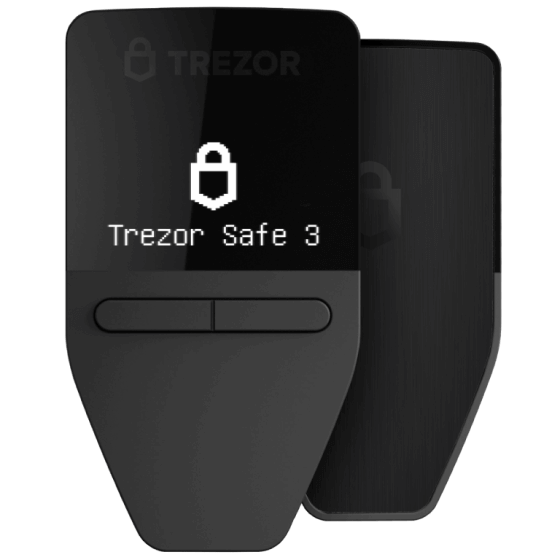
The Trezor Safe 3 has a 0.96-inch monochrome screen and a two-button pad, connects by USB-C, and comes with a USB-C cable and two cards for writing down a 20-word backup. Trezor describes its code as “Transparent, public code anyone can review, audit & verify.”
The catch is the iPhone. Trezor’s page says “No swap, send, setup or device management on iOS,” and its comparison lists the Safe 3 and Safe 5 as limited on iOS to checking balances, buying and receiving. Plan on a computer or an Android phone. The Trezor Safe 5 ($129) adds a color touchscreen with the same iOS limit.
The step-up touchscreen model on Amazon: Trezor Safe 5
Check price on Amazon · See the Trezor Safe 3 at Trezor
Tangem Wallet 3-card set: tap a card, skip the paper phrase
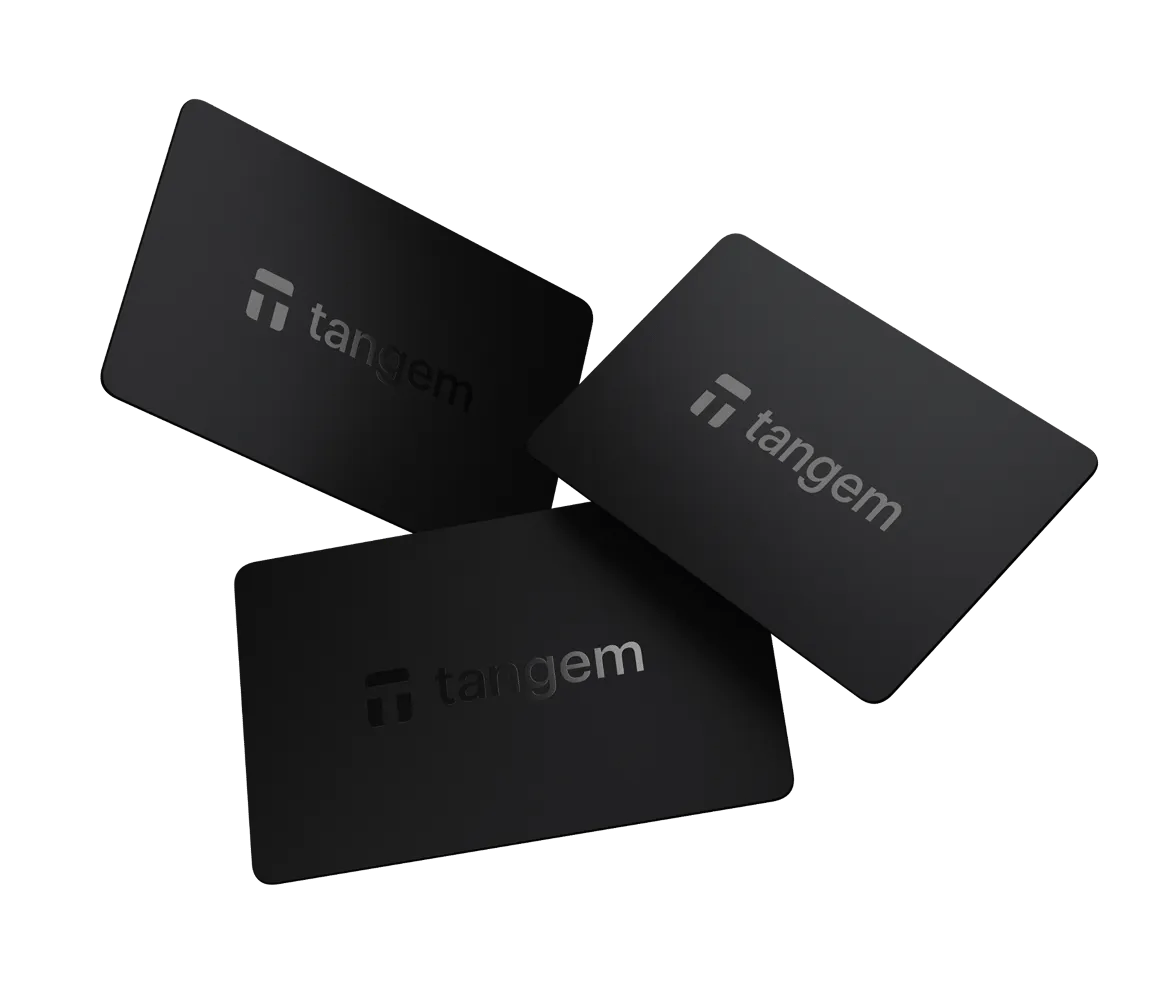
Tangem works differently from the other two. Each card is a chip and an antenna with no battery, powered by your phone’s NFC when you tap it. By default the key is created inside the chip and copied to the other cards in the set, so there is no list of words to write down; a seed phrase is optional. Tangem says its app supports more than 14,100 tokens on 90 blockchains, and it gives the cards a 25-year limited hardware warranty.
Buy the 3-card set, not the 2-card set. The cards are the backup, and Tangem gives one reason for three cards, with two facts from its help pages that make the choice hard to change later:
- Every card is an equal copy of one key. Tangem says there is no “primary” card, and the number of cards is the number of copies of your private key.
- With one card lost, resetting a forgotten access code needs both remaining cards. In Tangem’s words, “if you lose one device and forget your access code, a third device is required to reset it. Therefore, we recommend choosing a set of three devices.” With a 2-card set, losing one card and forgetting the code leaves you unable to reset or recover the wallet, unless you set it up with a seed phrase.
- You cannot add a card later. The key can be copied only once, at setup. To go from two cards to three you must move your coins out, reset every card and start a new wallet.
The trade-offs are real, and Tangem states them itself. The card has no screen: Tangem says “Your smartphone serves as a display,” so you confirm what you are signing on the phone, not on a separate device screen. The card firmware is closed source. Tangem says it uses a “security through obscurity” approach, and points to audits by Kudelski Security in 2018 and Riscure in 2023 instead of published code; its phone app is open source. The firmware “cannot be updated again” after it leaves the factory, which Tangem presents as protection against a bad update and which also means a card cannot be patched. And if you set up without a seed phrase, the cards are the only way in: “Losing all your devices will result in losing your funds.” Tangem recommends keeping the cards in different places.
The cheaper pack on Amazon: Tangem Wallet 2-card set
Check price on Amazon · See the 3-card set at Tangem
Ledger Nano Gen5: touchscreen and iPhone support for less
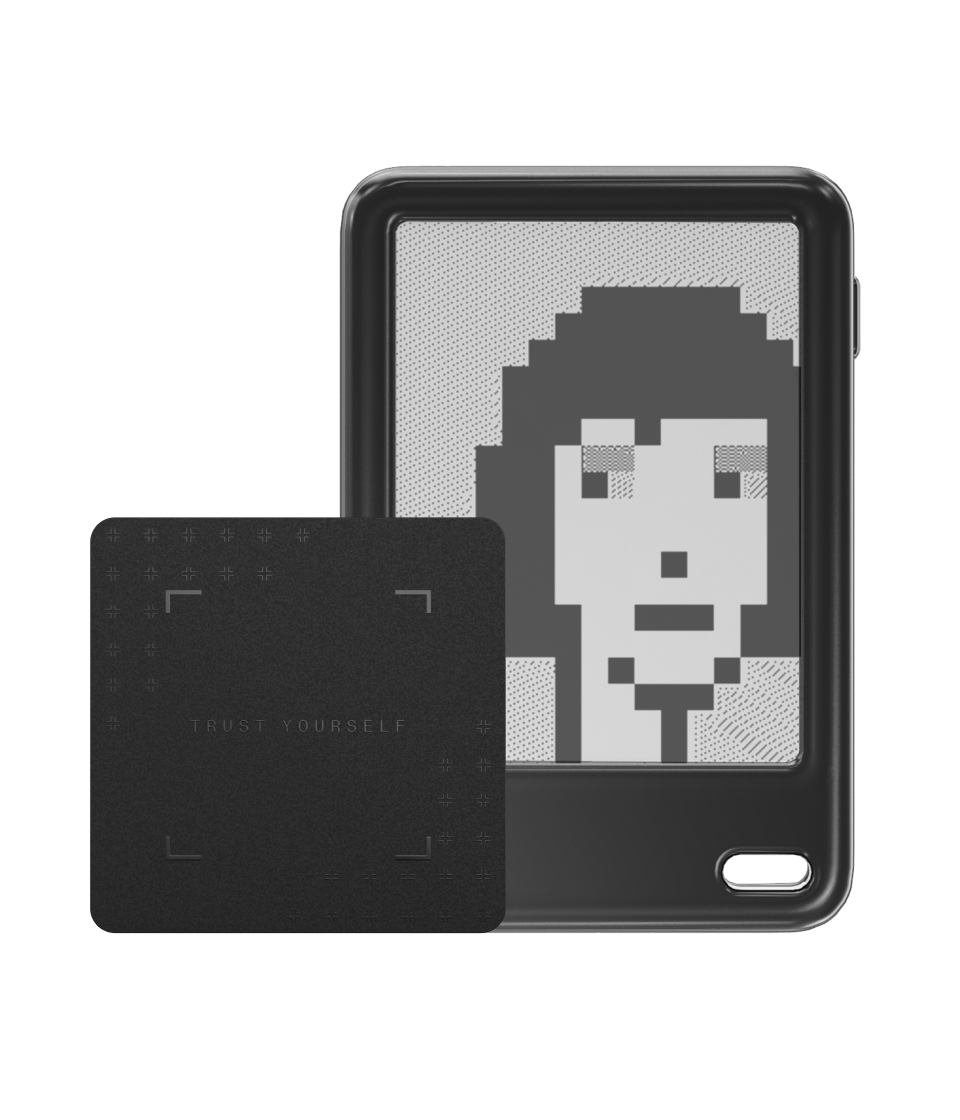
The Ledger Nano Gen5 has a 2.8-inch E Ink touchscreen and connects by Bluetooth to an iPhone (iOS 15 or later) or Android phone, or by USB-C to a computer. The box includes three Recovery Sheets and a Ledger Recovery Key, an NFC card protected by a PIN that restores the wallet with a tap. Ledger says its own app handles more than 500 coins, with thousands more through third-party wallet apps.
The Ledger Flex ($249) has the same screen size at a higher resolution with Gorilla Glass and an aluminium frame.
Ledger Recover is the part to understand before you turn it on. It is an optional paid backup, listed at $99.99 a year (marked down from $119.88), that needs a passport, national identity card or, for US and Canadian users, a driver’s license. Ledger says an encrypted copy of your key is split into three fragments held by three companies (Coincover, Ledger and EscrowTech), and two of the three send their fragments back to your device after an identity check. That trades some self-reliance for a way back in if you lose your phrase. You do not have to use it. Ledger says the subscription renews automatically, that you cannot restore your keys through it if a payment is more than 7 days overdue, and that it “can’t provide you with your Secret Recovery Phrase.”
The larger-screen model on Amazon: Ledger Flex
Check price on Amazon · See the Nano Gen5 at Ledger
Trezor Safe 7: touchscreen, Bluetooth and Trezor’s open-source code
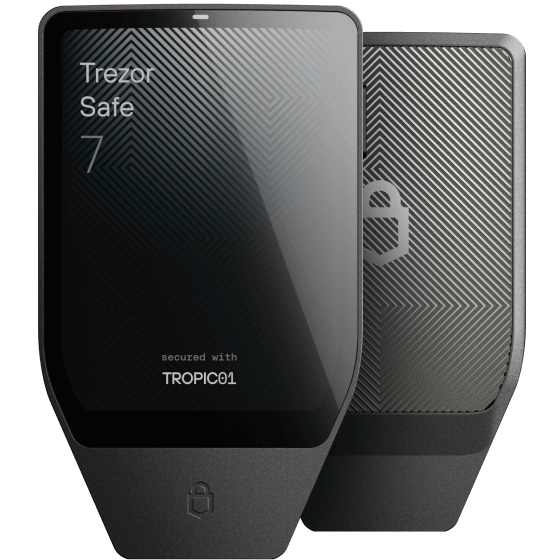
The Trezor Safe 7 is the Trezor to buy for an iPhone: Trezor lists it with “Full iOS compatibility,” where the Safe 3 and Safe 5 are limited. It has a 2.5-inch color touchscreen, Bluetooth, a battery with Qi2 wireless charging, an aluminum body and an IP54 rating against dust and splashes. Trezor says two secure elements and a microcontroller, from three vendors, protect the keys, including TROPIC01, which it calls “fully auditable.”
Check price on Amazon · See the Trezor Safe 7 at Trezor
Ledger Nano S Plus: the cheapest Ledger
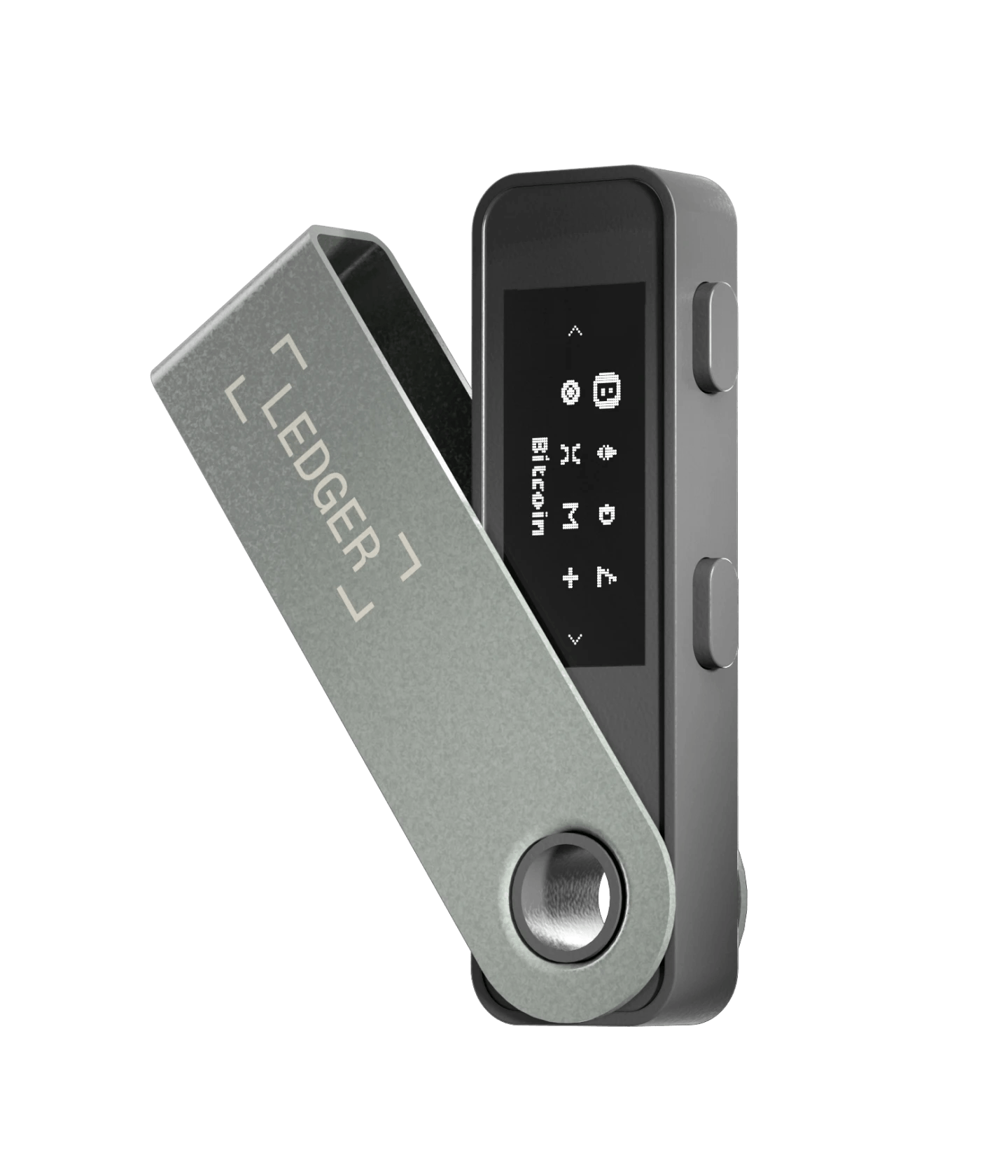
The Ledger Nano S Plus has a 1.1-inch screen, no battery and no Bluetooth; it works over a cable with a computer or an Android phone (Android 10 or later). Ledger’s store sums it up as “Cable use only” and “No iOS support.” Ledger rates its chip CC EAL6+, the same grade it gives the Nano Gen5.
For an iPhone on a budget, the Ledger Nano X ($99) adds Bluetooth and a battery, with a chip Ledger rates one grade lower at CC EAL5+.
The Bluetooth model on Amazon: Ledger Nano X
Check price on Amazon · See the Nano S Plus at Ledger
Where to buy a hardware wallet safely
Where you buy matters more than usual right now. In October 2026 Ledger said a criminal group had bought real Ledger devices, opened them, fitted hidden parts built to capture the recovery phrase during setup, and put them back on sale through resellers in Southeast Asia. Trezor then found the same kind of implant in three Trezor Safe 5 units bought from one reseller, CryptoBilis, and now says: “we recommend buying directly from trezor.io.” Decrypt reported that Ledger also found one tampered Nano Gen5, and that it has seen tampered devices outside Southeast Asia, including two suspected units in Dubai that, according to reports Decrypt cited, were bought at a Virgin Megastore location.
Each pick on this page links the maker’s own store, which is Trezor’s first recommendation, and an Amazon listing whose seller line read “Ledger Official”, “Trezor Company” or “TANGEM OFFICIAL” on November 18, 2026, shipped from Amazon’s warehouses. Ledger names its official Amazon store for the USA as one of its official sales channels, and Trezor lists Amazon USA among its authorized resellers. Tangem’s pages point to tangem.com and its listed resellers; this guide did not find Tangem’s store on that list.
Before you pay and before you set up:
- Check the seller line on Amazon on the day you buy. It should name the maker’s official store, as it did for the listings linked here on November 18. BleepingComputer reported that researchers at Tibane Labs found one implant in a Ledger bought on Amazon Japan from a listing marked “China-based seller · shipped from Malaysia.”
- Never use a device that arrives with a PIN or recovery words already chosen. Ledger says a Recovery Sheet that already has words on it means “the device is not safe to use.”
- Know the limits of the built-in check. BleepingComputer reported Ledger’s warning that its Genuine Check cannot detect an added implant when the original secure chip is left intact. That is why the seller matters.
- Update a Trezor first. Trezor says firmware 2.13.1, released November 11, 2026, stops the implants it has found from capturing anything. Trezor adds that “the update can’t protect a wallet backup that was captured before it,” and that if you suspect a device, “don’t set it up or use it until we’ve told you what to do next.”
- With Tangem, the first tap should offer to create a wallet. If the app says the card is already activated, Tangem says not to use the existing wallet, and to reset the card and create a new one. Tangem’s help page says its cards are safe to buy from resellers because the app checks the chip and firmware. That is Tangem’s claim about its own product.
What a hardware wallet protects, and what it does not
It protects the key from your computer and phone. Ledger says its device “keeps your private keys offline on a Secure Element chip,” isolated from the computer or phone it talks to. Trezor’s version: “Your keys stay in Trezor, never on the internet.”
It does not protect the recovery phrase, and the phrase is the real key. With a Ledger or Trezor, the words you write down at setup can rebuild the wallet on a new device, which is how you recover from a lost one. Anyone else who gets those words can do the same. In September 2026 attackers used Trezor’s own newsletter account to email about 347,000 people a link to an app that asked for their wallet backup. Neither Trezor nor Ledger will ask for it: “Trezor will never call you or ask for your wallet backup,” and Ledger posted on X, as Decrypt reported, “We will never ask for your recovery phrase.”
It does not protect you from a tampered device, which is the buying section above.
It does not hide that you own one. Order records can leak, as the history below shows.
Exchange or your own wallet?
Coins on an exchange are held with the exchange’s keys. Ledger puts it as “entrusting your private keys to a third party.” A hardware wallet removes that third party and hands you its job. Lose a Ledger or Trezor along with every backup of its recovery phrase, or every card in a seedless Tangem set, and nobody can restore the coins. Neither choice is risk-free; they fail in different ways. The site’s report on the October 2026 Binance hack covers the exchange side.
Security history, maker by maker
For the tampered devices below, Ledger and Trezor say their chips and firmware were not at fault: the devices were opened and altered after they left the makers’ hands. The other incidents were breaches of customer data, websites or code libraries, some at the makers and some at partners. They are still worth knowing: leaked contact details feed scams aimed at owners, and a clean chip does not help if the device around it was altered before it reached you.
Ledger
- June 2020, customer data. Ledger said an unauthorized party reached its e-commerce and marketing database: about 1 million email addresses, and names, postal addresses and phone numbers for a subset of 9,500 customers, by its July 2020 count.
- December 14, 2023, Connect Kit. A software library Ledger offers to crypto websites was altered after a phishing attack on a former employee, and code that drained wallets stole an estimated $600,000 to $680,000, according to BleepingComputer and the reports it cited. Ledger said its devices and its Ledger Live app were not compromised.
- September to November 2026, tampered devices. Ledger confirmed a hidden implant in a device sold by the reseller CryptoBilis and said there was “no flaw in Ledger’s chip, operating system or servers.” This week, Decrypt reported that Ledger had confirmed tampered units in Berlin and was investigating two in Dubai, with no confirmed case from a device bought on ledger.com, and that Ledger had also found one affected Nano Gen5 among Southeast Asian resellers it had already paused; on-chain investigators have traced about $87 million in suspected thefts. Ledger did not say which models were affected in the earlier cases; BleepingComputer cited researchers who showed a “spy implant in Ledger X devices.”
- November 16, 2026, website code. An attacker injected malicious JavaScript into the websites of 178 organizations through Optimizely, a website-testing service they all used, and StepSecurity, citing researcher Scott Helme’s list, names Ledger among them. The code swapped copied crypto addresses for the attacker’s and skimmed card numbers from checkout forms. StepSecurity advises anyone who entered card details or copied a wallet address on an affected site between about 04:00 and 21:00 UTC on November 16 to replace the card and check the address. Ledger said the code was no longer being served through its website and that its devices were not affected, U.Today reported.
Trezor
- August 2026, ShipMonk. A shipping provider’s breach exposed names, addresses, phone numbers and emails for 11,742 customers, plus 1,947 with partial exposure; on September 4 Trezor added about 67,000 US customers from 2019 to 2021 orders that ShipMonk had been asked to delete, for 80,689 affected customers in all.
- September 9, 2026, Brevo. The newsletter phishing email described above; Trezor says 347,149 email addresses were exported and about 2,500 people clicked before the link was taken down.
- October and November 2026, CryptoBilis implants. Three tampered Safe 5 units, all from one reseller. Trezor says no customer has reported lost funds, and it says it has cut its reseller network by about 80%. Decrypt reported that the removed partners’ authorization ends on January 1, 2027.
- November 7, 2026 (disclosed November 15), Skladon. A second shipping partner’s breach exposed names, phone numbers, addresses and emails for about 27,000 orders placed between August 9 and November 7, 2026. Trezor says its own systems were not compromised.
Tangem
- December 2024, app logging bug. Tangem told Cointelegraph that its app had logged private keys when a wallet was created with a seed phrase, and that those logs could reach its support team; Tangem put the number affected at “fewer than 0.1% of users.” Tangem told the outlet: “No private keys were compromised, no user funds were lost, and no unauthorized account access occurred.”
If your order details were in one of these leaks, Trezor warns that scammers “may use these details in calls, texts, emails or letters.” Trezor’s advice applies to any brand: treat unexpected contact about your order as suspicious.
For other gear compared the same way, see the buying guides.
Hardware wallet questions
What is a cold wallet?
A cold wallet is another name for a hardware wallet: a device that keeps your private keys offline and makes you approve each transaction on the device or with a tap.
Is Ledger or Trezor better?
They differ more than they rank. Trezor says its code is open source, and its cheapest model is $59, but only the $249 Safe 7 has full iPhone support. Ledger offers iPhone support over Bluetooth from $99 and an optional paid recovery service. Both have had customer data exposed, and both had tampered devices turn up at resellers in 2026.
Should you buy the Tangem 2-card or 3-card set?
The 3-card set, which costs $10 more. Tangem recommends three because resetting a forgotten access code after losing a card needs the two remaining cards; separately, its help pages say you cannot add a card to a wallet later.
Can hardware wallets be hacked?
The 2026 thefts tied to Ledger devices came from units that were physically altered before sale, not from a flaw in its chip, Ledger says; Trezor found the same kind of implant in three devices and says no customer has reported lost funds. Another route, as in the phishing email sent through Trezor’s newsletter account, is tricking an owner into typing the recovery phrase somewhere.
What happens if you lose your hardware wallet?
With a Ledger or Trezor, you buy another and restore it from your recovery phrase, or on a Ledger Nano Gen5 or Flex from the Recovery Key. With Tangem, the remaining cards still open the wallet; lose every card with no seed phrase and the funds are gone. Tangem’s advice after a lost card is to buy a new set and move your funds to it, because a replacement card cannot be added to the old wallet.
How much does a hardware wallet cost?
The wallets in the table above run from $59 for a Trezor Safe 3 to $249 for a Trezor Safe 7 or Ledger Flex, at the makers’ US prices on November 18, 2026. Ledger Recover is the one ongoing fee here, and it is optional; Tangem says it charges no subscription.
Sources (32)
- shop.ledger.com Ledger: Hardware wallet comparison (shop, November 18, 2026)
- shop.ledger.com Ledger: Shop home page (November 18, 2026)
- shop.ledger.com Ledger: Ledger Recover (November 18, 2026)
- shop.ledger.com Ledger: Nano Gen5 (shop, November 18, 2026)
- shop.ledger.com Ledger: Nano S Plus (shop, November 18, 2026)
- shop.ledger.com Ledger: Ledger Atom (November 18, 2026)
- support.ledger.com Ledger Support: Check that your Ledger device is genuine
- ledger.com Response to the hardware implant attack (October 15, 2026)
- web.archive.org Ledger: Addressing the July 2020 e-commerce and marketing data breach
- trezor.io Compare hardware wallets (November 18, 2026)
- trezor.io Safe 3 (store, November 18, 2026)
- trezor.io Safe 7 (store, November 18, 2026)
- trezor.io Home page (November 18, 2026)
- trezor.io Authorized resellers (November 18, 2026)
- trezor.io Trezor Blog: Our CryptoBilis investigation (November 11, 2026)
- trezor.io Trezor Blog: Data breach at shipping partner Skladon (November 15, 2026)
- trezor.io Trezor Blog: Customer data exposed in ShipMonk incident (August 2026)
- trezor.io Trezor Blog: Security incident at Brevo (September 9, 2026)
- tangem.com Pricing (November 18, 2026)
- tangem.com Home page (November 18, 2026)
- tangem.com Tangem Help Center: How Backup Works
- tangem.com Tangem Help Center: Device Loss & Recovery
- tangem.com Tangem Help Center: Firmware & Authenticity
- tangem.com Tangem Help Center: Tangem Wallet Comparison
- tangem.com Tangem Help Center: Before you buy FAQs
- bleepingcomputer.com Ledger confirms spy chip implant behind wallet crypto thefts
- bleepingcomputer.com Ledger dApp supply chain attack steals $600K from crypto wallets
- decrypt.co Ledger Confirms Tampered Bitcoin Wallets in Berlin
- stepsecurity.io OPTIMJACK, Optimizely-hosted scripts on 178 organizations
- u.today Ledger Confirms Security Incident Involving Third-Party Service
- cointelegraph.com Tangem fixes bug exposing user seed phrases via email
- amazon.com hardware wallet listings (seller check, November 18, 2026)


Discussion on Bluesky
Discuss on Bluesky