


Wirecutter and Tom’s Guide both put Apple’s iPad at the top of their kids tablet lists, with Amazon’s Fire Kids tablets as the cheaper choice for younger children. This guide’s rule of thumb: a Fire Kids tablet for a child under about 8, a Fire Kids Pro or an iPad from 8 to 12, and an iPad for schoolwork or a teen. The four worth buying:
- Amazon Fire HD 8 Kids (ages 3 to 7): $149.99 list price, on sale for $74.99 in a limited-time deal on September 30, 2026.
- Amazon Fire HD 8 Kids Pro (ages 6 to 12): $169.99 typical price for the 64 gigabyte (GB) model; on September 30, 2026, Amazon offered it for $89.99 to Prime members only, as an “Early Prime Big Deal.”
- Amazon Fire HD 10 Kids (ages 3 to 7, bigger screen): $189.99 on September 30, 2026.
- Apple iPad (11-inch, A16 chip): $449 at Apple as of September 29, 2026.
That iPad price is new. Apple raised the base iPad from $349 to $449 in June 2026, blaming rising memory and storage costs. That puts it about $300 above a Fire HD 8 Kids at list price, and about $375 above it at the September 30 sale price. Amazon makes the Fire tablets, so the Fire prices above are Amazon’s own, and they swing a lot: on September 30 the Fire HD 8 Kids was half off for everyone, and the Kids Pro was close to half off for Prime members. Amazon’s Prime Big Deal Days sale runs October 6 and 7. Treat the regular price as a ceiling and check the week you buy.
The four picks side by side
| Tablet | Ages | Regular price (Sept. 29-30, 2026) | In the box | The catch |
|---|---|---|---|---|
| Fire HD 8 Kids | 3 to 7 | $149.99 list ($74.99 on sale) | Kid-proof case, 6 months or 1 year of Kids+, 2-year replacement guarantee | Slow, and far fewer apps than an iPad |
| Fire HD 8 Kids Pro | 6 to 12 | $169.99 typical (64GB; $89.99 for Prime members) | Slimmer case, 6 months of Kids+, 2-year guarantee | Same processor and screen as the Fire HD 8 Kids |
| Fire HD 10 Kids | 3 to 7 | $189.99 current | Kid-proof case, 1 year of Kids+, 2-year guarantee | Bulky for small hands |
| iPad (A16) | Any; this guide suggests 8 and up | $449 (Apple) | Tablet, cable and charger | No case, no breakage cover included (AppleCare+ is $54.99 a year), no separate profiles for siblings |
All three big testers put the iPad first, and they split on which Fire model to buy. Wirecutter’s top pick is the 11th-generation iPad, with the Fire HD 8 Kids and Kids Pro as the cheaper choice. Tom’s Guide also puts the iPad first, then the Fire HD 10 Kids for younger children and the Fire HD 10 Kids Pro for older ones. PCMag names the iPad and Samsung’s Galaxy Tab A9+ as its current Editors’ Choice winners, with the Fire HD 8 Kids and Fire HD 10 Kids Pro also on its list.
Fire Kids or iPad: the real choice
A Fire Kids tablet is a video and reading machine with a safety net. Every one comes in a protective case and carries a 2-year “worry-free guarantee”: if it breaks, Amazon says “return it and we’ll replace it for free.” The kids’ home screen shows Amazon-vetted books, apps and games picked by your child’s age, and Wirecutter found that this closed setup means “kids are less likely to stumble onto inappropriate content.” Siblings can each get their own profile with their own limits.
An iPad is a real computer that grows with the child. Wirecutter calls its app store “the best thing about the iPad,” and its A16 chip “much faster than the budget chip powering Amazon’s Fire tablet.” PCMag says the base iPad is also the best tablet for school, because most schools support iPads, while Fire tablets “lack productivity capabilities.”
The trade-offs run the other way too. Wirecutter found the Fire “can be painfully slow,” with a lower-resolution screen and no Google apps, so YouTube Kids is not an easy option. The iPad has no separate accounts for different kids, and Wirecutter says Apple’s parental controls “can be difficult to use and don’t do enough.” An iPad also needs a sturdy case bought separately.
Rule of thumb: under about 8, or mostly shows and books, buy a Fire Kids tablet. From 8 to 12, a Fire Kids Pro works if the budget is tight and the iPad if it isn’t. Schoolwork, Minecraft-level games, or a child who will keep it for years, buy the iPad.
Ages 3 to 7: Amazon Fire HD 8 Kids
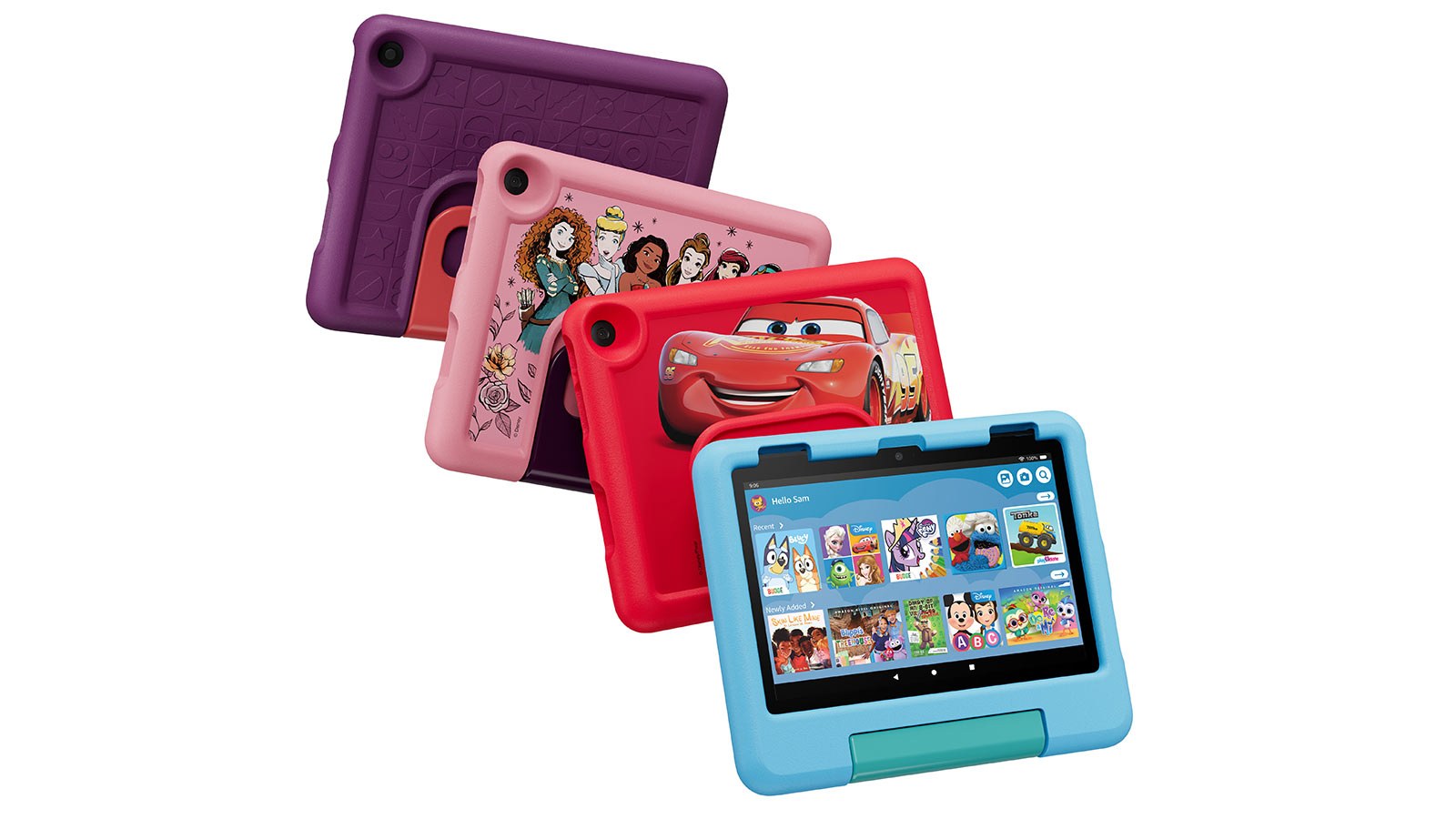
This is the first-tablet pick, and Wirecutter’s budget pick. The 2024 model has an 8-inch screen, 3GB of random-access memory (RAM), 32GB of storage with a microSD slot for more, and up to 13 hours of battery life by Amazon’s rating. The case has a built-in stand that doubles as a handle.
Its smaller size is the point: Wirecutter says younger kids will likely find it “more comfortable to hold,” and it will “likely survive a drop better than an iPad.” PCMag’s verdict: “a fine option for young children,” with an “unimpressive display” and average performance.
Skip the cheaper Fire 7 Kids. Wirecutter found it “slower and equipped with a noticeably less colorful, lower-resolution screen.”
Ages 6 to 12: Amazon Fire HD 8 Kids Pro
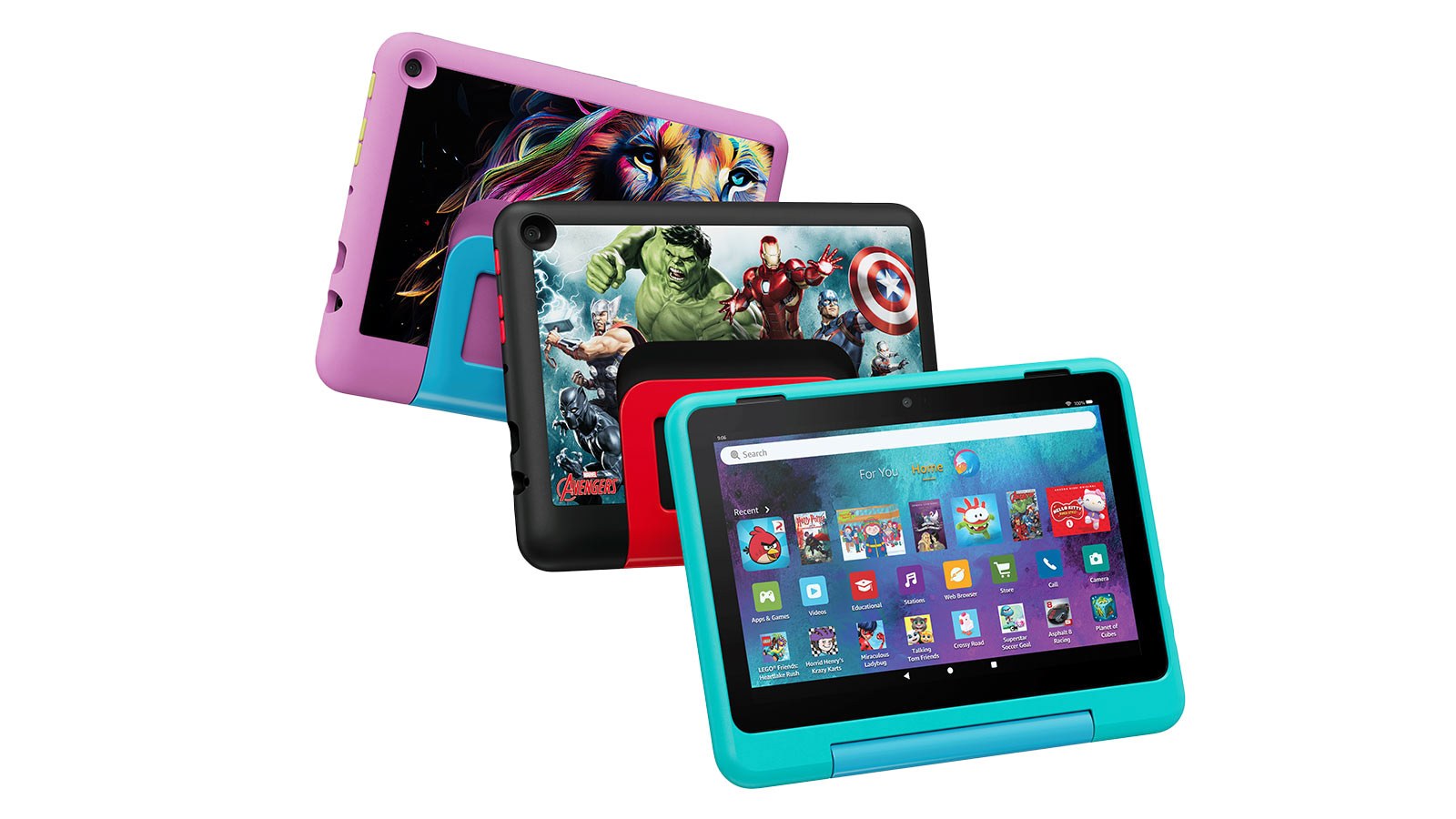
Same processor and screen as the Fire HD 8 Kids, set up for older kids; the linked 64GB model has more memory and storage. The Pro gets a sleeker case and a slightly older home screen, and kids can request books and games from a digital store while a parent approves purchases and downloads. It also has a web browser that Amazon describes as “open but filtered,” where the regular Kids models allow only hand-picked sites, and parents can block specific sites. Wirecutter’s advice is to turn browser access off, because “Amazon’s parental controls have limited control over it.” Kids can make voice and video calls over Wi-Fi to contacts a parent has approved, if those contacts have an Alexa-enabled device or the Alexa app.
The linked 64GB model comes with 4GB of memory and 6 months of Kids+; Amazon’s listings for the 8-inch models say they include “6 months or 1 year” for new subscribers, so check the listing before you buy. For an 8-to-12-year-old, this is the cheaper alternative to an iPad: it suits a 9-year-old who has outgrown cartoon cases but is not ready for an open iPad.
Bigger screen, ages 3 to 7: Amazon Fire HD 10 Kids
Tom’s Guide’s pick for older kids, the Fire HD 10 Kids Pro, was listed as “Currently unavailable” on Amazon when checked on September 29, 2026, and Amazon said it did not know “when or if” it would be back, so this guide sticks to the 8-inch Pro for that age.
The Fire HD 10 Kids trades the 8-inch screen for a 10.1-inch 1080p display, with an octa-core processor and 3GB of memory. It lasted about 14 and a half hours in Tom’s Guide’s web-browsing battery test, longer than the iPad’s roughly 11 and a half in the same test. It comes with a full year of Kids+ for new subscribers. When checked September 30, Amazon showed “Only 13 left in stock” and a delivery window of October 10 to 19.
The catch is size. Wirecutter says the Fire HD 10 “feels much bulkier than the Fire HD 8, especially with its case.” Buy it for car trips and a child who mostly watches shows. For a lap-sized preschooler, the Fire HD 8 Kids is easier. This model is a 2023 release, so it is older than the Fire HD 8 Kids.
Ages 8 and up, or for school: Apple iPad (A16)
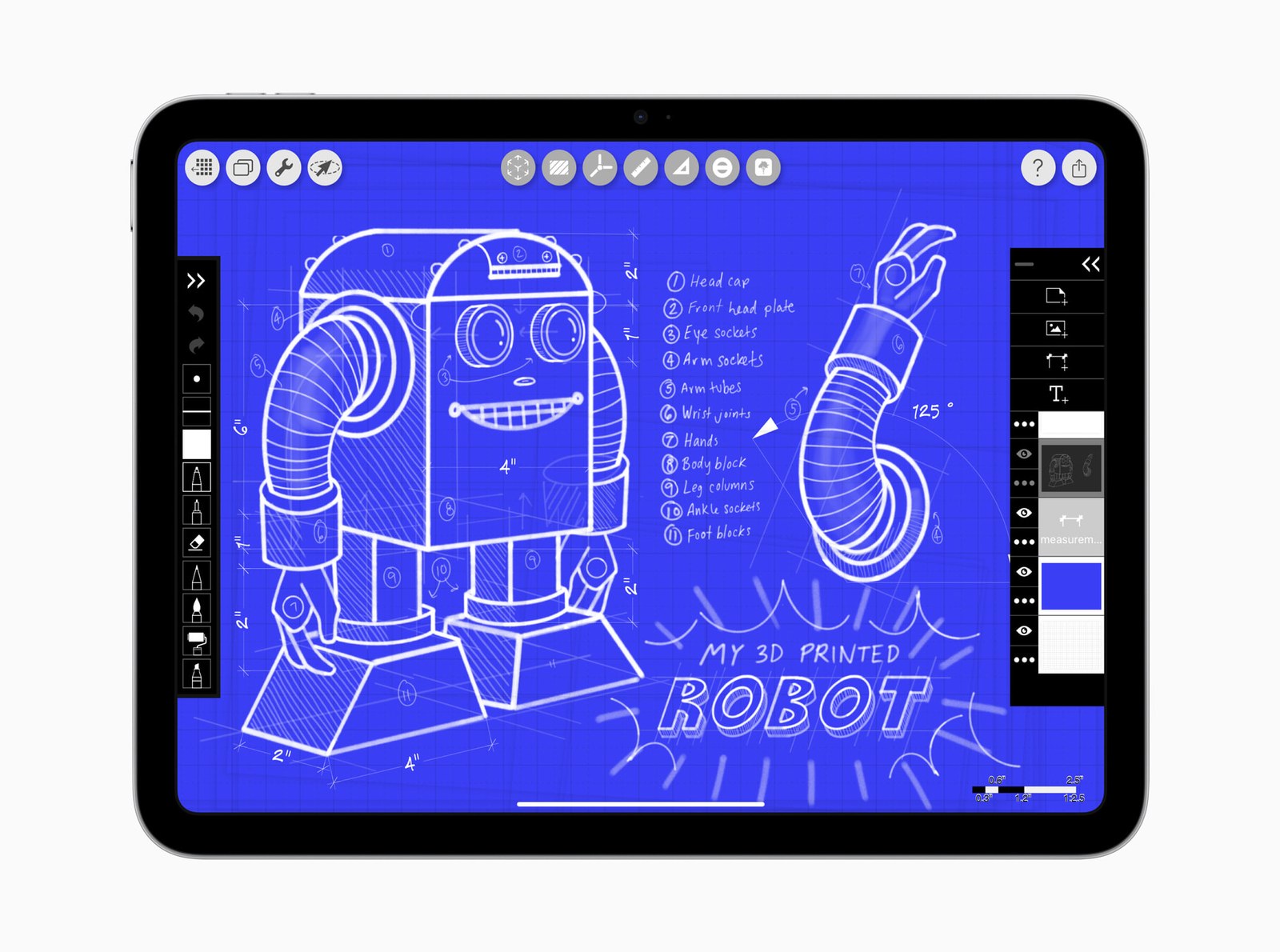
This is Wirecutter’s and Tom’s Guide’s top pick, and one of PCMag’s current Editors’ Choice winners. The 11-inch iPad starts at 128GB of storage, which Wirecutter says will likely be enough for a child who mainly uses apps and streams video. Its battery lasted up to 10 hours of continuous use in Wirecutter’s own testing.
Set up Screen Time before handing it over. Wirecutter says it lets you set off-limits hours, put time limits on apps and turn off the web browser, and kids can ask for more time or ask to buy an app. PCMag adds that you should use it to block purchases, “to keep your kids from spending money without your permission.”
Before buying one, check the drawer. Wirecutter’s advice is that “the best tablet for your pre-K to middle-school kid is usually the one you aren’t using anymore,” and older iPads make good hand-me-downs because Apple keeps updating them.
What Amazon Kids+ costs after the free months
Every Fire Kids tablet comes with some Kids+, Amazon’s library of ad-free books, videos, games and apps for ages 3 to 12. The included months are for new subscribers: the 8-inch models come with 6 months or a year depending on the listing, and the Fire HD 10 Kids with a year. If you already pay for Kids+, Amazon replaces your current subscription with one year from the day you activate the tablet, so a second tablet does not stack free months. Amazon says Kids+ content has “no in-app purchases, or links to external websites or social media.”
When the included months run out, the subscription renews automatically “every month starting at $7.99/month plus applicable tax,” and you can cancel from the Parent Dashboard. Wirecutter reports annual pricing of $50 a year for Prime members and $80 without Prime; Amazon’s product pages show only the monthly renewal, so switching to annual billing is up to you. Put a reminder in your calendar for the month it ends.
Two limits worth knowing: the apps and games in Kids+ only work on Fire tablets and Fire TV, and Amazon pulled the Kids+ app from the iPhone and Android app stores in March 2025. On an iPad, plan on other apps instead of Kids+. PCMag also lists as a con that the Fire HD 8 Kids “works best with Amazon Kids+ subscription,” so budget for it if you buy one.
If your family uses Android
Samsung sells a Galaxy Tab A11+ Kids Edition for $349.99, with an 11-inch screen and 128GB of storage. SamMobile reports it will get up to seven Android OS upgrades. None of the three big testers above has reviewed this kids edition. PCMag’s Android Editors’ Choice is the older, regular Galaxy Tab A9+, and it points parents to Google’s Family Link controls for Android tablets.
Before you wrap it
Storage. PCMag recommends 128GB or more of built-in storage rather than 64GB, and notes that some games take up more than 32GB on their own. The iPad starts at 128GB but has no card slot, while every Fire Kids tablet here takes a microSD card of up to 1 terabyte (TB). A cheap card is a good stocking stuffer for a Fire tablet that will hold downloaded shows for car trips.
Profiles and passwords. On a Fire tablet shared by siblings, Wirecutter says to add a lock-screen password to each profile “so siblings and others don’t sneak onto another person’s profile.” Fire parental controls can also tie play time to reading, for example unlocking games only after a set amount of reading or educational use.
Purchases. On either tablet, turn on purchase approval before the child gets it. Fire Kids Pro lets a parent approve or deny each purchase and download request, and on an iPad, Wirecutter says Screen Time lets kids ask to buy an app instead of buying it outright.
What to skip
Toy tablets. PCMag says kid-only tablets from brands like Fuhu, Kurio and LeapFrog “haven’t been updated for years” and run “old, insecure versions of Android.” Wirecutter, which has not tested it, says LeapFrog’s LeapPad Academy “can cost roughly as much as our Fire HD pick but with a lower-resolution screen and a slower processor.”
A pricier iPad. Wirecutter says that beyond its compact size, the iPad mini’s extra cost over the base iPad “doesn’t get you anything that would make a difference to kids.” PCMag does name it the best small iPad for smaller kids.
How much screen time?
The American Academy of Pediatrics (AAP) has moved away from one fixed number for older kids. Its parent guide, last updated June 3, 2026, says the goal is to “move beyond simple screen-time limits and focus on quality, context and conversation.” For young children, Wirecutter notes the AAP still recommends curbing screen time to about an hour a day for ages 2 to 5. An older AAP answer for parents of young children (last updated October 2023) says boundaries matter, and that a goal such as “2-3 hours/day on weekends or at Grandma’s house, and ~1 hour/day at home is up to your family to figure out.”
Two AAP tips bear directly on this purchase: “Having a shared family tablet instead of separate tablets for everyone can encourage co-watching,” and “Delay personal tablets.” A Fire or iPad set up as a shared family tablet, with a profile per child on Fire, fits that advice.
Frequently asked questions
What is the best tablet for a 5-year-old?
The Amazon Fire HD 8 Kids. It is built for ages 3 to 7, comes in a kid-proof case, and Amazon replaces it free for 2 years if it breaks.
Is an iPad better than a Fire Kids tablet?
For apps, speed and schoolwork, yes. Wirecutter, Tom’s Guide and PCMag all put the base iPad at the top of their lists. For a young child who mostly watches shows, a Fire Kids tablet costs far less and includes the case and the breakage guarantee.
What is the difference between Fire Kids and Fire Kids Pro?
The processor and screen are the same. Kids is for ages 3 to 7; Kids Pro is for ages 6 to 12, with a slimmer case, an open-but-filtered web browser and a store where kids request apps that a parent approves.
Do you have to pay for Amazon Kids+?
Not at first for new subscribers. Each Fire Kids tablet includes 6 months or a year, then it renews monthly starting at $7.99 unless you cancel. PCMag says the Fire HD 8 Kids works best with the subscription.
Sources (15)
- nytimes.com Wirecutter: The best tablet for kids
- pcmag.com The best kids tablets
- tomsguide.com The best tablets for kids
- apple.com Buy iPad
- techcrunch.com Apple raises Mac and iPad prices, spares iPhone for now
- amazon.com Fire HD 8 Kids product page
- amazon.com Fire HD 8 Kids Pro product page
- amazon.com Fire HD 10 Kids product page
- amazon.com Fire HD 10 Kids Pro product page
- aboutamazon.com Fire Kids tablet buying guide
- amazon.com Amazon Customer Service: About Amazon Kids+
- samsung.com Galaxy Tab A11+ Kids Edition
- sammobile.com Galaxy Tab A11+ Kids Edition comes to the US
- healthychildren.org HealthyChildren.org (AAP): Helping kids thrive in a digital world
- aap.org Screen time limits for young children



🦋 Discussion on Bluesky
Discuss on Bluesky