


The short answer, with prices checked on September 29 and 30, 2026: the Apple MacBook Neo is the best student laptop at $699, or $599 through Apple’s education store. For coursework that lives in a browser, Acer’s product page lists the Acer Chromebook Plus 514 at $399.99. When Windows is required, the Lenovo IdeaPad Slim 5a (16-inch, 2026) is the all-rounder, the Acer Aspire Go 15 (Core i5, 16GB) is the budget pick, and the Lenovo IdeaPad Slim 3x is the Snapdragon pick for long battery life. Windows laptop prices swing from week to week and from one configuration to the next, so those three picks link to the exact configuration instead of quoting a number that will be stale by Friday.
Quick Picks
- Overall pick: Apple MacBook Neo, $699 ($599 with education pricing)
- Chromebook pick: Acer Chromebook Plus 514, $399.99 on Acer’s product page
- Windows all-rounder: Lenovo IdeaPad Slim 5a (16-inch, Ryzen AI 7 445)
- Budget Windows pick: Acer Aspire Go 15 (Core i5, 16GB)
- Snapdragon battery pick: Lenovo IdeaPad Slim 3x
Why the Mac sits on top: Apple entered the budget laptop market with the MacBook Neo in March 2026 at $599, with education pricing at $499. Then the AI memory crunch came for it: on June 25, Apple raised the Neo to $699 as part of price increases on “many products,” including the MacBook Air, blaming a component market where, in Apple’s words, “We have never seen a component price increase this much, this quickly.” (The full story of that repricing is covered in Apple Tried to Shield You From AI Prices. It Just Gave Up..) The same squeeze hit Windows machines: PCWorld’s review of one 2026 budget model blamed its $899.99 starting price on “price increases to RAM and solid state storage.” That is why every Windows pick below comes with a specific configuration to look for.
One warning before the list: manufacturers sell completely different machines under identical model names, and that is the easiest way for a student to get burned. The same “Aspire Go 15” search returns a snappy 16GB configuration and low-memory economy builds that will crawl by sophomore year, and nothing in the product name says which is which. The spec box in the listing outranks the name on the lid, always; this guide names the configuration to look for in each pick.
None of these laptops were tested in-house. Every specification cited here comes from the manufacturer’s own spec sheets or from independent reviewers who tested the machines, and the picks were re-checked against their makers’ pages on September 29 and 30, 2026, where the maker still lists them.
The 2026 Spec Floor: What Matters
Budget laptops fail students in predictable ways, and almost all of them trace back to four components. Before any brand loyalty enters the conversation, a student machine in 2026 should clear this floor:
- 8GB of RAM (Random Access Memory), minimum, for Windows. Windows 11 with a browser full of tabs, a video call, and a document open will exhaust 4GB and start swapping to disk, which is where “why is my laptop so slow” comes from. Chromebooks are more forgiving, but 8GB is still the comfortable number.
- A real SSD (Solid State Drive), not eMMC. eMMC (embedded MultiMediaCard) is the slow flash storage soldered into the cheapest machines. An NVMe (Non-Volatile Memory Express) SSD is several times faster at the small random reads that make a computer feel responsive. This single line item separates machines that age well from machines that get donated in a year.
- A 1080p IPS display. IPS (In-Plane Switching) panels hold color and contrast at an angle; the cheap alternative washes out the moment the lid tilts. Resolution below 1920×1080 has no place in 2026, even on the cheapest machines.
- No Intel Celeron or Pentium on Windows. Those chips are acceptable on ChromeOS, which is far lighter, but they choke on Windows 11. Any current Intel Core i3 or AMD Ryzen 5 is sufficient for coursework.
1. Best Overall: Apple MacBook Neo

Apple’s pitch is blunt: “a durable aluminum design, a stunning 13-inch Liquid Retina display, the power of Apple silicon, and all-day battery life — all for the breakthrough starting price of just $599.” Strip away the launch-day adjectives and the hardware still stands up. The 13-inch Liquid Retina display runs 2408×1506 at 500 nits with support for 1 billion colors, which Apple calls “brighter and higher in resolution than most PC laptops in this price range.” It is also the highest-resolution screen among the configurations linked in this guide. The A18 Pro chip debuted in Apple’s iPhone 16 Pro models, and Apple rates the machine at up to 16 hours of battery life.
Apple’s performance comparison claims the Neo is “up to 50 percent faster for everyday tasks than the bestselling PC with the latest shipping Intel Core Ultra 5”: that is Apple’s own benchmark framing, so treat it as a vendor claim rather than an independent result. The independent read is nearly as strong: PCWorld reports battery life of 13+ hours, concluded “It simply doesn’t feel like a budget laptop,” and ranks the Neo first in its under-$500 roundup even though the Neo has always cost more than that, writing: “We know it goes over our $500, but the jump in quality and performance… well, it’s just too good to ignore.”
The compromises are real but honest. Every Neo has 8GB of unified memory, and the base model has 256GB of storage; the ports are two USB-C and a headphone jack, and only one of those USB-C ports is fast (10 Gb/s), while the other runs at USB 2 speed (480 Mb/s). Apple’s store sells the Neo in 256GB and 512GB versions with no memory option, so 8GB is what a buyer gets. That is fine for papers, browsing and lectures, and it is below the 16GB this guide suggests for a four-year Windows machine. MacRumors, citing Bloomberg, reports Apple plans a second-generation Neo in 2027 with 12GB of RAM; nothing has shipped.
Know the current prices before comparing. As of the June 25 increase, the base 256GB Neo lists at $699 and the education price for U.S. college students rose from $499 to $599. Both prices were still in place on September 29, 2026: Apple’s store showed the 256GB Neo “from $699” and the 512GB model from $799, and the education store showed “from $599” and $699 for the same two configurations. The education purchase goes through Apple directly rather than Amazon, and it remains $100 below retail. Apple’s education store serves higher-education students, their parents and teachers, and says “You may need to verify your eligibility with an active school email or other documentation during checkout.”
Buy it if: the budget stretches to it and coursework lives in a browser, Office, or creative apps. Skip it if: a required program is Windows-only (check the syllabus for engineering and accounting software before committing to macOS).
2. Windows All-Rounder: IdeaPad Slim 5a (16-inch, 2026)
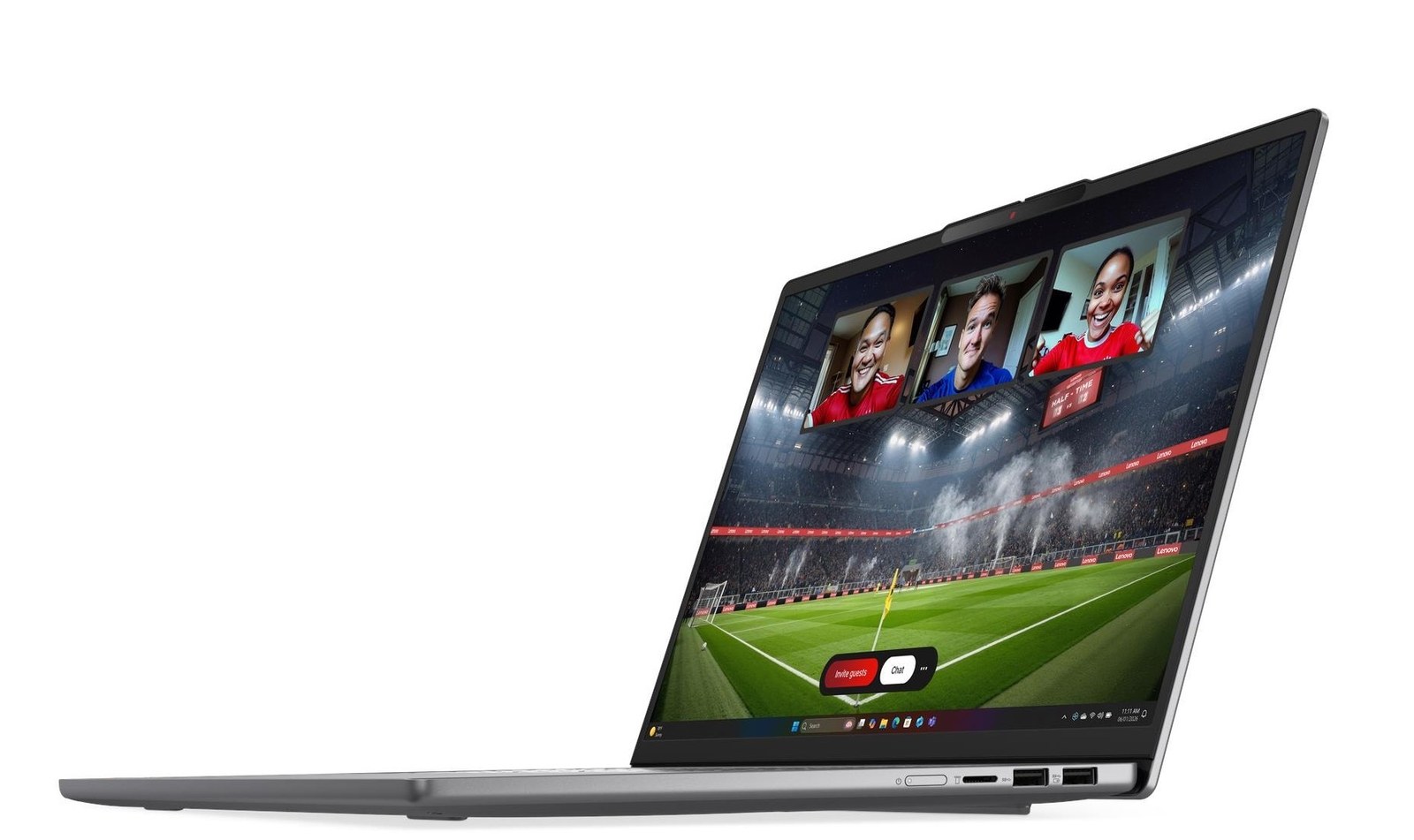
The IdeaPad Slim 5a answers a specific question: what does a Windows laptop look like when every component sits comfortably above the floor? The configuration linked above, Lenovo model 83S20043US, pairs AMD’s 6-core Ryzen AI 7 445 with 16GB of DDR5-5600 memory installed as two 8GB modules, a 512GB NVMe SSD, a 60Wh battery, and a 16-inch 1920×1200 IPS display, in an aluminum body that starts at 4.08 pounds. Lenovo’s spec database dates this model’s announcement to January 23, 2026, and lists a one-year base warranty. It is also the priciest Windows pick: a price listing on LaptopMedia’s review page showed $1,149.99 for this processor, memory and storage combination when captured on September 29, 2026.
The memory layout is the student-friendly part. LaptopMedia opened one up and found the RAM in two DDR5 SO-DIMM slots, concluding that the Slim 5a “offers unusually good upgradeability for a modern slim laptop.” Both slots come filled with 8GB modules, so going past 16GB later means swapping both for a pair of 16GB modules, up to Lenovo’s 32GB maximum. That is a screwdriver job rather than a new laptop.
The honest catch is the screen. Lenovo’s spec sheet lists this configuration’s panel at 45% NTSC color coverage and 60Hz, the basic tier of the line. LaptopMedia’s review warns that the series “ranges from a basic WUXGA IPS panel with limited 45% NTSC coverage” up to OLED, and that buyers “should therefore pay close attention to the full specification rather than relying on the IdeaPad Slim 5a name alone.” For papers, lectures, and streaming, muted color is livable; for photo or design coursework, look for the 120Hz panel with 100% sRGB coverage that Lenovo’s spec sheet lists as an option.
Battery claims need the same care. Lenovo’s maximum ratings for the line are 19.4 hours on the MobileMark 30 benchmark and 29.6 hours of local video playback, from its best-equipped configuration. LaptopMedia’s review unit, a Ryzen AI 7 450 model with 32GB, the larger 80Wh battery and a 2.8K OLED screen, lasted 11 hours and 34 minutes in its offline video test, and LaptopMedia says “The high-resolution OLED panel is likely one of the main factors limiting overall efficiency.” The linked configuration pairs a smaller 60Wh battery with an IPS panel, so its real runtime has not been independently tested.
The 16:10 aspect ratio is the underrated feature for students: 1920×1200 gives 120 more rows of pixels than a 1920×1080 screen, which means more of a paper or spreadsheet on screen at once.
Buy it if: Windows is required and one machine has to do everything for four years. Skip it if: portability matters more than screen space; a 16-inch laptop is a backpack commitment.
3. Budget Windows Pick: Acer Aspire Go 15 (Core i5, 16GB)
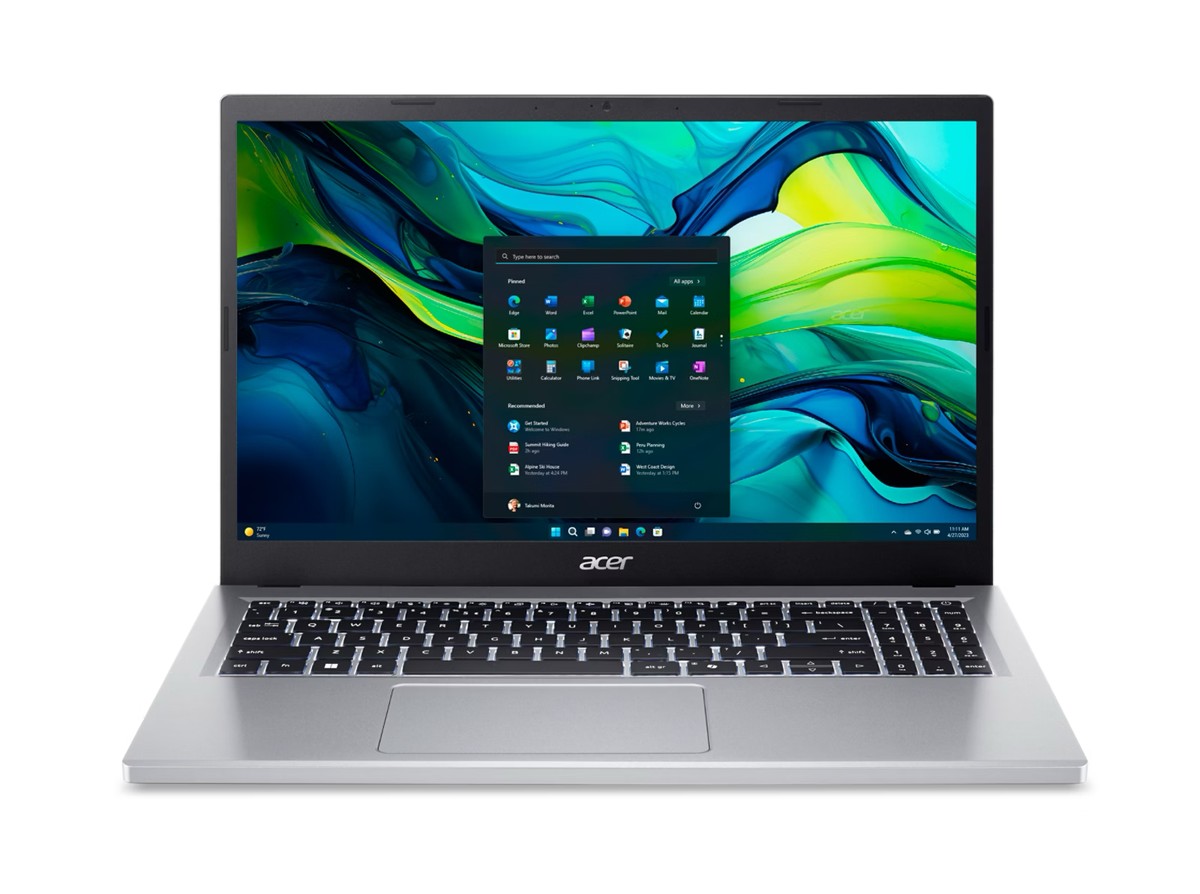
The Aspire Go 15 is the budget Windows pick. The configuration worth buying pairs Intel’s Core i5-1334U with 16GB of RAM and an SSD behind a 15.3-inch 1920×1200 IPS panel. Notebookcheck reviewed that configuration in August 2025 and concluded: “For its affordable price, the Aspire Go 15 proves to be an unexpectedly capable laptop.” It added that “The combination of a brisk Core i5 processor and 16 GB of RAM ensures consistently smooth operation.”
Notebookcheck’s Core i5 unit lasted 9 hours 24 minutes in its Wi-Fi browsing test. TechRadar reviewed an older 15.6-inch version with an AMD Ryzen 7 5825U, a different machine, and it lasted close to 12 hours looping a movie. The honest caveats are elsewhere: Notebookcheck’s verdict names “the plastic chassis, the unlit keyboard, and the only moderate colour accuracy of the otherwise solid display” as the most obvious drawbacks. For a student writing papers and streaming lectures, none of those are dealbreakers; for someone editing video daily, this is the wrong tier of machine.
One shopping trap specific to this model: the Aspire Go 15 name covers very different configurations, and low-memory builds fail the spec floor. The Core i5-1334U build is also older stock. Acer’s US product page no longer lists it; it now shows newer builds on Intel’s Core 3 N355, sold through select retailers rather than Acer’s own store, including a 16GB, 512GB version with a 15.6-inch 1080p IPS screen at $499.99. That N355 build meets the spec floor on paper, but no independent review of it is cited here. Whichever you buy, confirm the processor and 16GB of RAM in the listing before checkout.
Buy it if: the budget is tight, Windows is mandatory, and specs matter more than build feel. Skip it if: build quality and a backlit keyboard are worth paying extra for.
4. Snapdragon Battery Pick: IdeaPad Slim 3x

This is the machine for the student who forgets chargers. The IdeaPad Slim 3x runs Qualcomm’s Snapdragon X (X1-26), an ARM chip, behind a 15.3-inch 1920×1200 IPS display. Lenovo’s spec sheet rates the 50Wh configuration at 18.5 hours of local 1080p video playback and the 60Wh configuration at 22.5 hours. The Amazon listing linked here doesn’t say which battery it has, so check before buying. For comparison, Lenovo’s top rating for the Slim 5a line is 29.6 hours on its best-equipped model, but the Slim 5a linked above has a 60Wh battery and no published rating of its own. Real-world mixed use will land well below any of these figures.
The tradeoff is Windows on ARM. Before buying, check that every program on the syllabus supports Windows on ARM (Snapdragon); same rule as the MacBook.
Memory is soldered LPDDR5X, not upgradable, so buy the RAM tier needed on day one; 16GB is the safe call.
Buy it if: battery anxiety is the deciding factor. Skip it if: coursework requires x86-only Windows software.
5. Top Chromebook: Acer Chromebook Plus 514

For a workflow that lives entirely in Google Docs, Canvas, Gmail, and streaming, ChromeOS remains the smarter operating system at the price, and the Chromebook Plus 514 is its best current student expression. The configuration on Acer’s US product page, the CB514-4HT-359X, pairs Intel’s 8-core Core i3-N305 with 8GB of memory, a 512GB SSD, and a 14-inch 1080p IPS touchscreen, and the page listed it at $399.99 on September 29 and 30, 2026, with an “Explore” link rather than a buy button. PCWorld’s roundup cites the same $399.99. Acer builds the chassis to the MIL-STD 810H durability standard and lists 9.5 hours of battery life, measured on Google’s power_LoadTest.
This machine will not run Windows software, ever. That is either its fatal flaw or its greatest feature: there is little to maintain, and Google lists automatic updates for the Chromebook Plus 514 (CB514-4H, CB514-4HT) through June 2033, which outlasts a four-year degree started this fall.
One buying note: the Amazon listing linked above, from a third-party seller, is a 2026 build with Intel’s Core 3 N355 in place of the N305, with 8GB and 512GB, per its details; it does not state an Acer model number. The $399.99 price and the specs above are for Acer’s N305 model, so confirm the processor, storage and model number before checkout, and check the model against Google’s update list.
Buy it if: everything already happens in a browser and the touchscreen sweetens note-reading. Skip it if: any required application installs from a .exe file.
What About a 2-in-1?
One 2026 convertible shows how the memory price hikes landed on students. PCWorld’s review of Lenovo’s 2026 IdeaPad 5a 2-in-1 found it entering the market “at $899.99 with an entry-level AMD Ryzen AI 5 430 chip that has just four CPU cores,” and concluded: “That makes it difficult to recommend the IdeaPad 5a even at a sub-$1,000 price tag.” The pen is extra, too: PCWorld notes the laptop “doesn’t ship with a pen by default,” though one can be added for $10. For annotating PDFs on a budget, the touchscreen on the Chromebook Plus 514 above covers the basics without a hinge.
What About a Chromebook Under $300?
PCWorld’s pick for the best Chromebook under $200, the Asus Chromebook CX15, was reviewed at $159 with an Intel Celeron N4500, 4GB of RAM and a 15.6-inch 1080p screen, and PCWorld says “It handles web browsing, streaming, and email like it’s nothing,” with a little over 10 hours of battery life. It misses the spec floor above on memory and storage (ASUS lists 128GB of eMMC), and PCWorld’s price tracker showed it at $319.99 and up on September 29, 2026, within about $80 of the Chromebook Plus 514. Near its review price it is a fair backup or high-school machine; at $300 or more, put the money toward the Chromebook Plus 514 instead.
Spec Comparison
| Pick | CPU | RAM | Storage | Display | Battery (rated) |
|---|---|---|---|---|---|
| MacBook Neo | Apple A18 Pro | 8GB | 256/512GB SSD | 13” 2408×1506, 500 nits | Up to 16 hr (Apple); 13+ hr reported (PCWorld) |
| IdeaPad Slim 5a 16 (2026) | AMD Ryzen AI 7 445 | 16GB DDR5, 2 slots (both filled), up to 32GB | 512GB NVMe | 16” 1920×1200 IPS, 45% NTSC, 60Hz | 60Wh; line maximum 19.4 hr MobileMark 30, 29.6 hr local video (Lenovo) |
| Aspire Go 15 | Intel Core i5-1334U | 16GB | SSD | 15.3” 1920×1200 IPS | 9 hr 24 min Wi-Fi browsing, tested (Notebookcheck) |
| IdeaPad Slim 3x | Snapdragon X X1-26 | LPDDR5X, soldered | up to 1TB NVMe | 15.3” 1920×1200 IPS | 18.5 hr (50Wh) / 22.5 hr (60Wh) local video (Lenovo) |
| Chromebook Plus 514 | Intel Core i3-N305 (Acer’s CB514-4HT-359X; Amazon link is a Core 3 N355 build) | 8GB | 512GB SSD | 14” 1080p IPS touch | 9.5 hr (Acer) |
Battery figures are the manufacturers’ rated numbers under their stated benchmark conditions except where an independent test is named; real-world mixed use usually lands below rated video-playback numbers.
The Spec Traps to Avoid
Search any of these model names on a retail site and the results fill with configurations engineered to hit a price, not to survive a semester. The traps repeat across every brand:
- The 4GB Windows laptop. Still sold everywhere, still a mistake at any price point. (ChromeOS gets a partial pass for light use, per the budget-Chromebook note above.)
- eMMC storage outside rock-bottom budgets. On the cheapest Chromebooks it is a known compromise; on a midrange Windows machine it is disqualifying when NVMe competitors exist.
- “HD” displays. In listings, “HD” means 1366×768 — a 2012 resolution that survives purely on shoppers not knowing the code. “Full HD” or “FHD” (1920×1080) is the minimum.
- Celeron and Pentium outside economy machines. An economy chip is defensible in an economy machine; the same chip in a midrange-priced Windows laptop means the money went somewhere other than the parts that matter.
- Same name, different machine. The Aspire Go 15 and IdeaPad Slim 5a entries above both carry this warning, and it generalizes: budget lines recycle names across generations and configurations. The listing’s spec box outranks the product name, always.
How These Picks Were Chosen
No laptop in this guide was tested in-house. The selections synthesize manufacturer specification sheets (Apple’s newsroom documentation, Lenovo’s PSREF engineering database, Acer’s and ASUS’s product pages, Google’s ChromeOS update list) with independent testing and reviews from PCWorld, Notebookcheck, TechRadar and LaptopMedia, cited inline where their measurements or conclusions appear. The ranking optimizes for a specific buyer: a student who needs four reliable years of writing, research, streaming, and video calls, purchased on a real budget. Machines were dropped for failing the spec floor or for configuration chaos that makes the good version hard to find. One pick, the Aspire Go’s Core i5 build, is older retail stock, and its section says so.
Prices for recommended configurations appear only where the maker lists them (Apple and Acer); other figures, such as PCWorld’s price tracker and the listing on LaptopMedia’s review page, are attributed to the outlet that showed them. Third-party laptop listings swing weekly, so the affiliate links go to the specific configurations recommended, and the current price is one click away.
Frequently Asked Questions
Is a Chromebook enough for college?
For many majors, yes, if the answer to “what software does the program require” is a browser. If any required program installs on Windows only, a Chromebook is out; check the department’s software list before buying any Chromebook or MacBook.
How much RAM does a student need in 2026?
8GB is the floor for Windows and macOS, 16GB is the comfortable recommendation for a four-year machine. On ChromeOS, 8GB is comfortable and 4GB is survivable for light use. The Slim 3x’s memory is soldered and the Neo is sold with 8GB only, so for those two the RAM decision happens at purchase, not later.
MacBook or Windows for school?
The MacBook Neo collapsed much of the price argument, so the question is now chiefly about software. Windows-only course requirements decide it instantly. Absent those, the Neo’s display and battery make it the stronger default for the money, which is why the rest of this list is framed around what each Windows machine does that the Neo cannot: 16GB and upgradeable RAM (Slim 5a), 16GB in a budget machine (Aspire Go), or up to 22.5 rated hours of video playback on the 60Wh model (Slim 3x).
Is a laptop a good holiday gift for a student?
Yes, if the configuration is right and the gift giver checks the syllabus first. Apple’s education pricing, $100 below retail on the MacBook Neo, is available through Apple’s education store rather than Amazon, and it covers higher-education students, their parents and teachers, who may be asked to verify eligibility with a school email or other documentation. For a Windows or ChromeOS gift, match the processor, RAM, and storage lines in the listing to the configuration named above; a sale badge on the wrong configuration is not a deal.
The honest bottom line: the MacBook Neo reset what a budget laptop means in March, and even after June’s memory-shortage price hike, every Windows and ChromeOS machine on this list earns its place by beating the Neo at something specific it cannot do. Match the machine to the syllabus and verify the exact configuration in the listing.
Sources (18)
- apple.com Apple Newsroom: Say hello to MacBook Neo
- macrumors.com Apple Announces $599 MacBook Neo With A18 Pro Chip
- apple.com Apple Store: Buy MacBook Neo
- apple.com Apple Education Store: Buy MacBook Neo
- macrumors.com Apple Just Raised the Price of the MacBook Neo
- pcworld.com Best laptops under $500
- psref.lenovo.com Lenovo PSREF: IdeaPad Slim 5 16AGP11 specification sheet
- psref.lenovo.com Lenovo PSREF: IdeaPad Slim 5a 83S20043US model specifications
- laptopmedia.com Lenovo IdeaPad Slim 5a (16, Gen 11) review
- psref.lenovo.com Lenovo PSREF: IdeaPad Slim 3x 15Q8X10 specification sheet
- pcworld.com Lenovo IdeaPad 5a 2-in-1 review
- notebookcheck.net Acer Aspire Go 15 review
- techradar.com Acer Aspire Go 15 review
- acer.com Aspire Go Intel product page
- acer.com Chromebook Plus 514 (CB514-4H/CB514-4HT) product page
- asus.com Chromebook CX15 (CX1505) tech specs
- support.google.com Google: Auto Update policy for ChromeOS devices
- amazon.com Acer Chromebook Plus 514 listing (B0DYNLGYHG)



🦋 Discussion on Bluesky
Discuss on Bluesky